From the first file
to the final call.
Corbin reads the deal, checks that the numbers tie, fills your own model and answers with the page every figure came from. Here is what happens to a deal, step by step.
What happens to a deal.
 01
01Drop the deal in
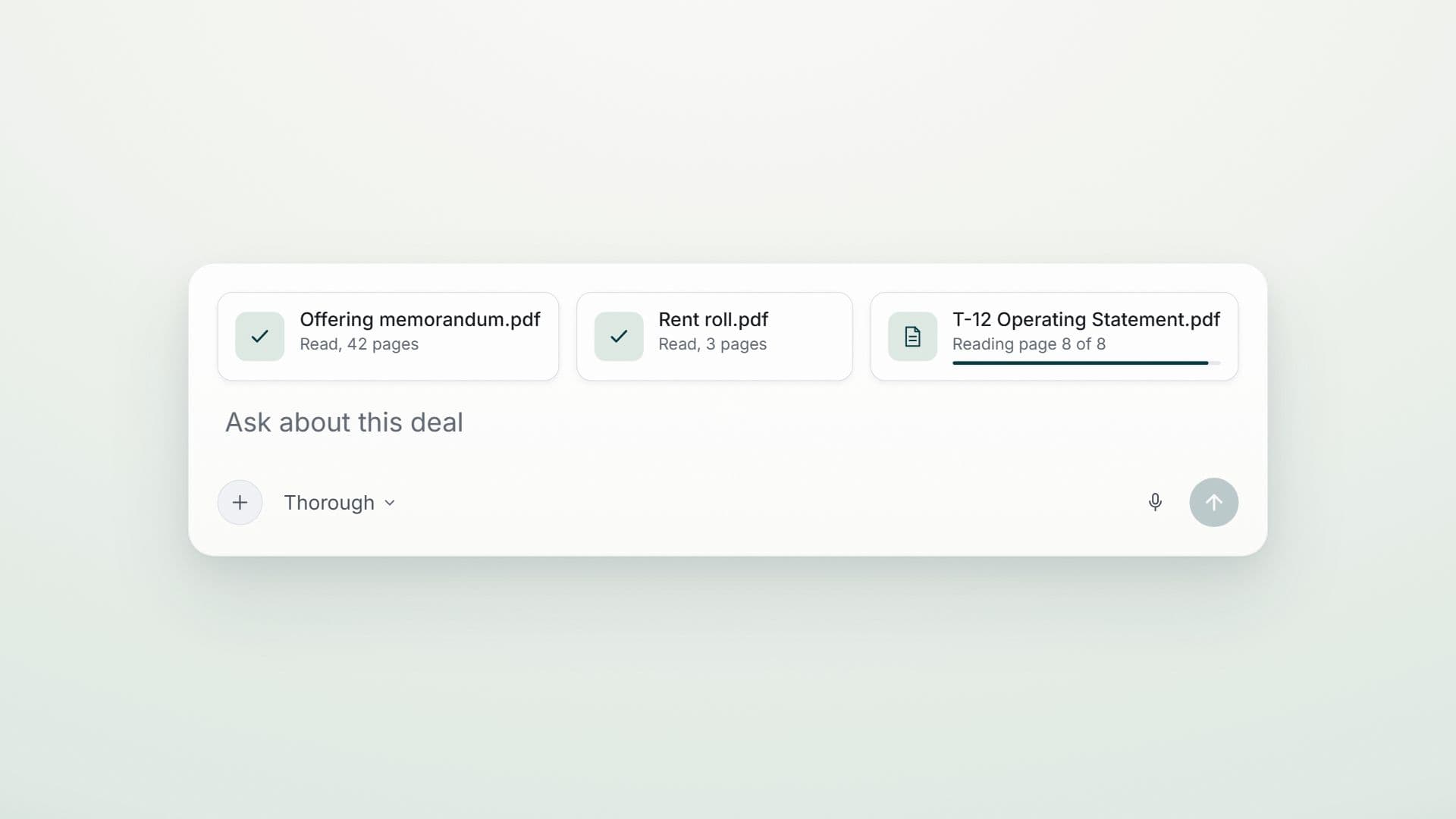
Memorandum, rent roll, T-12 and leases, as PDF, Word, PowerPoint or Excel, scanned pages included, even as one combined bundle. Corbin splits it and works out what each document is.
 02
02It reads every document
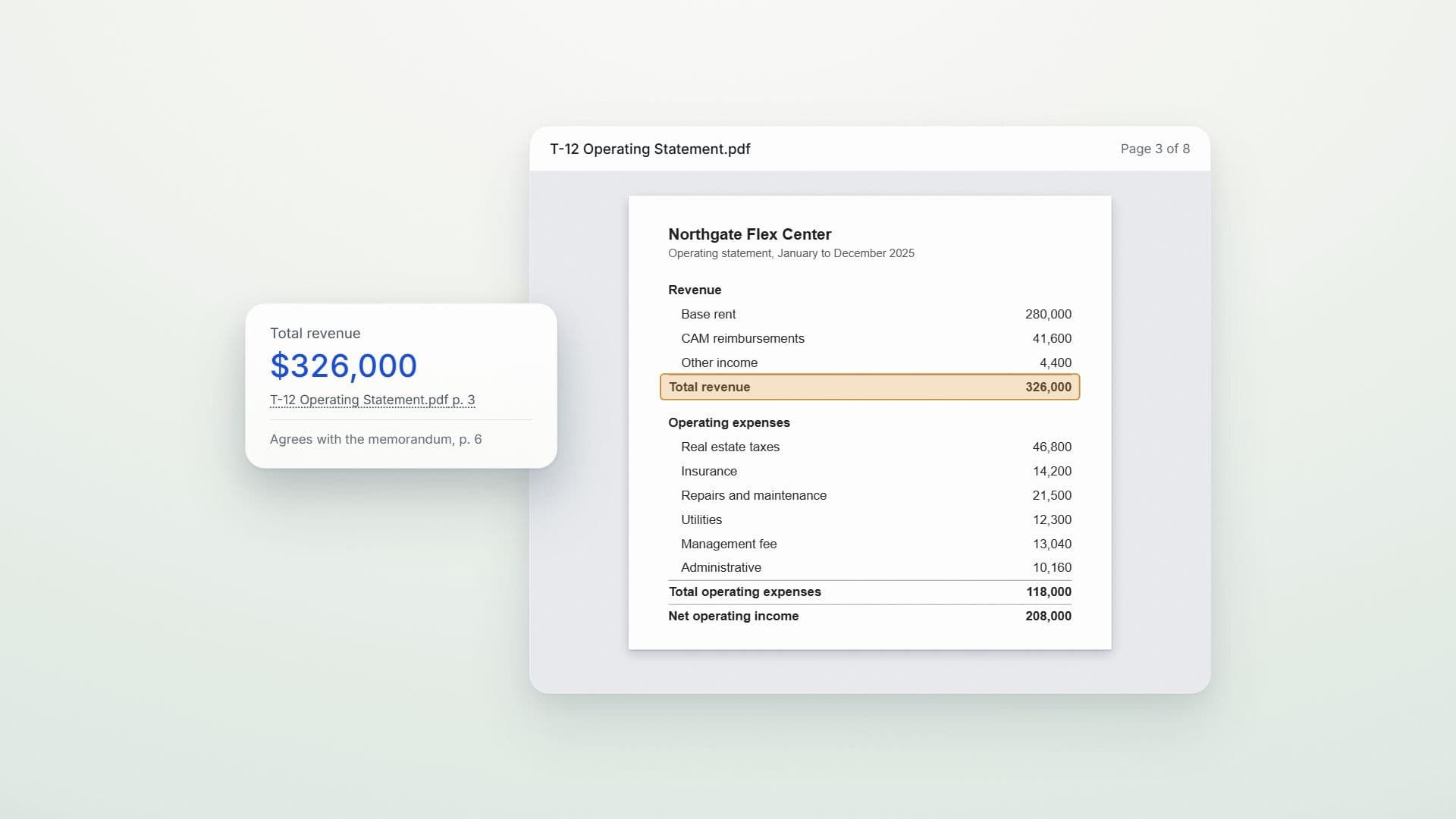
Each value keeps the document and the spot on the page it was read from, so every figure can be traced back to its source.
 03
03The reconciler proves the numbers tie
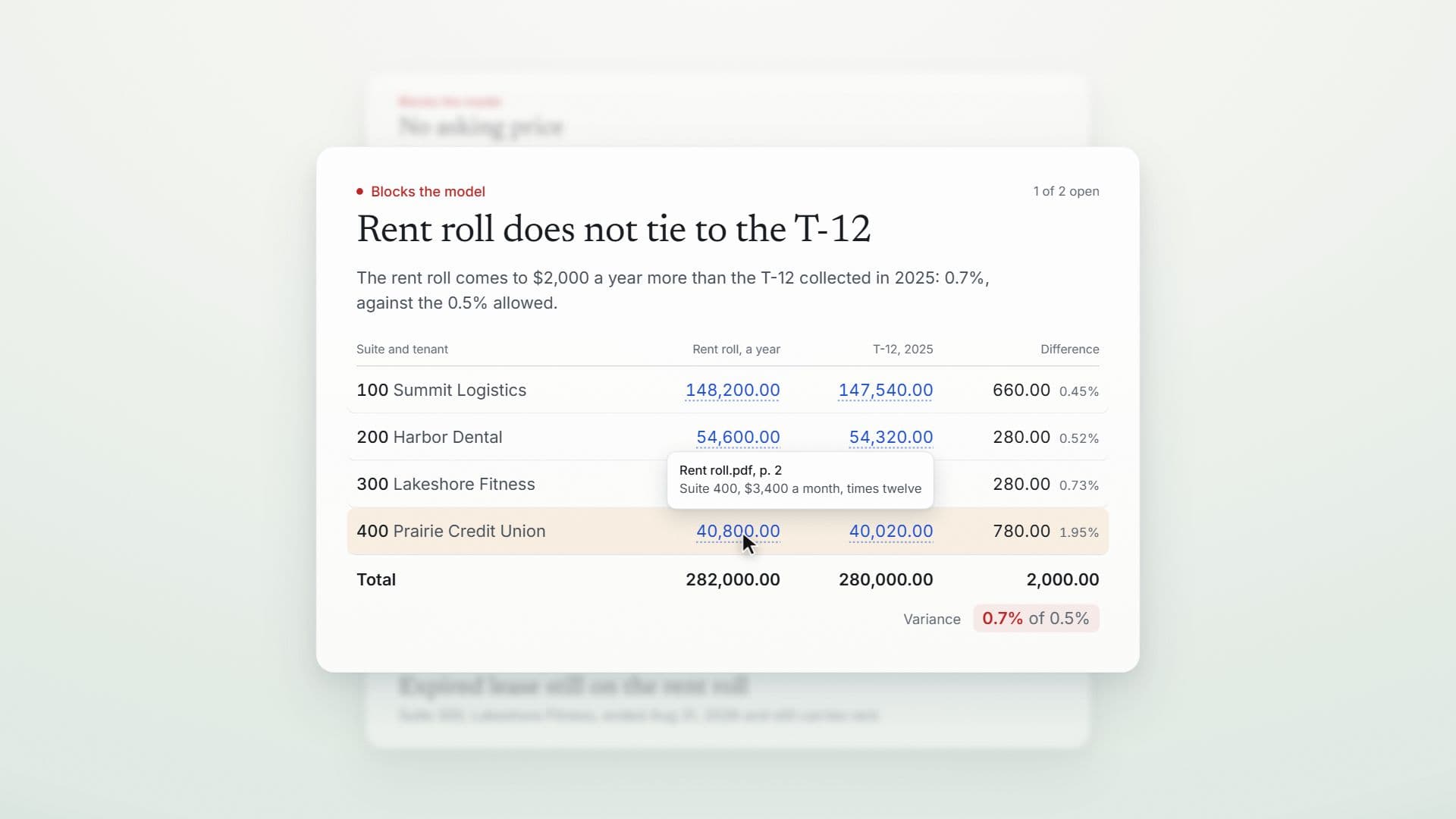
Thirteen named checks run before anything reaches your model. Rent against the T-12 defaults to half a percent, and a firm can loosen a rule rather than a deal. A check that cannot run says so, and is never counted as a pass.
 04
04Your own template, taught once
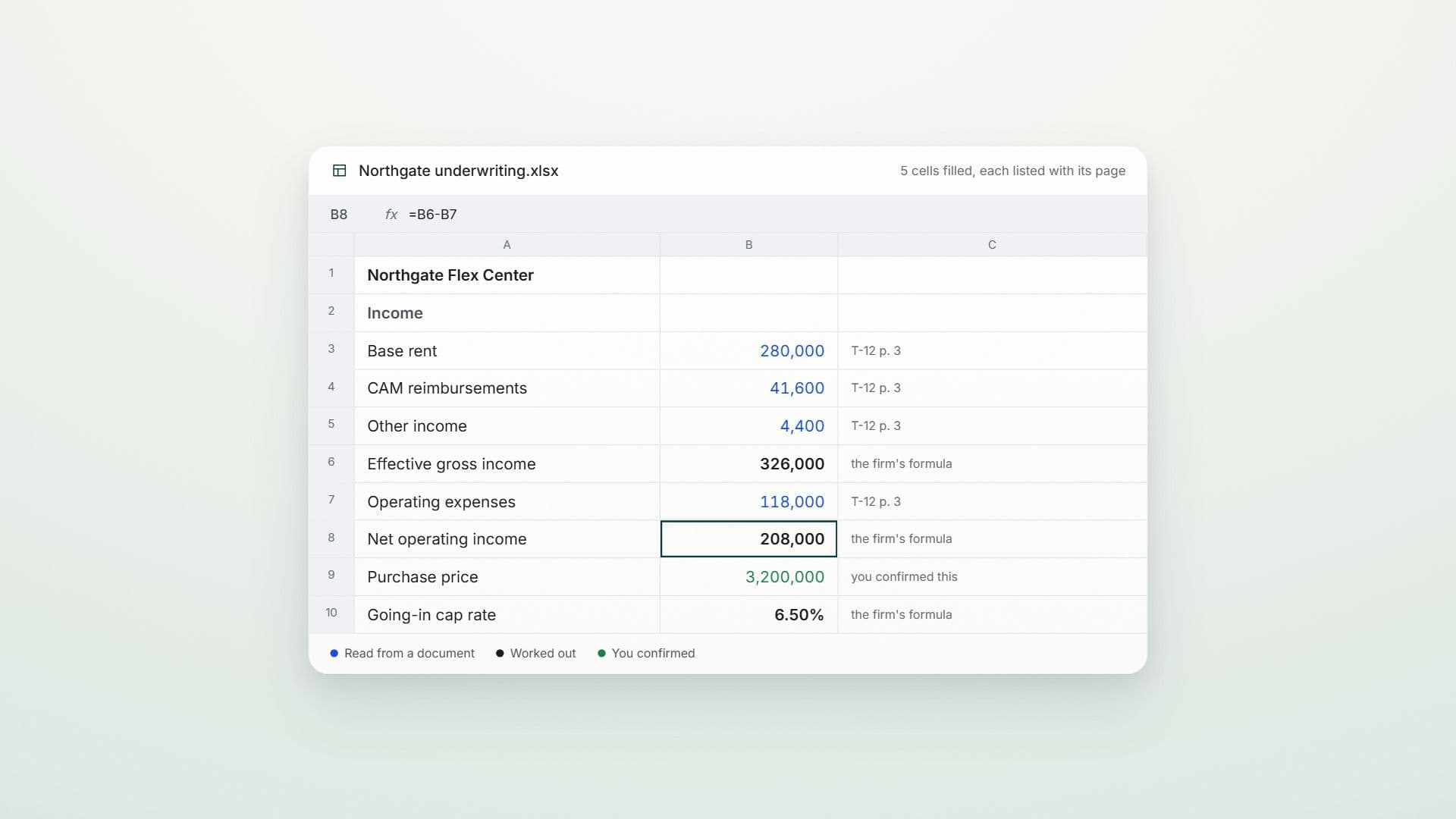
Show it your firm's Excel model and a person confirms where each figure goes. Figures go only into the cells confirmed, never over a formula, and every write is recorded and can be undone. A figure no check has proved stays amber and is listed.
 05
05Ask it anything
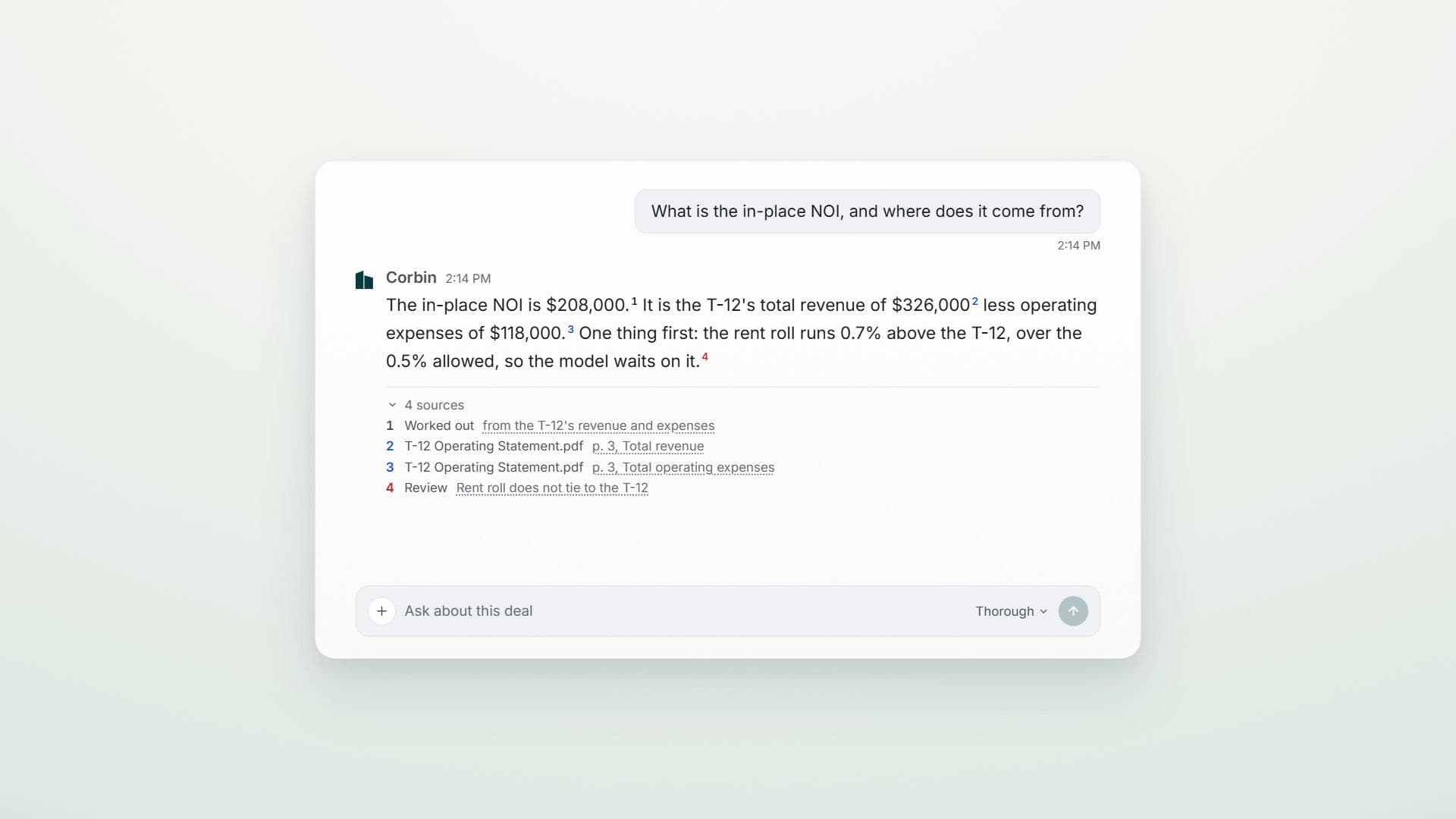
Ask about the deal, the site or the market, and get the memo, the deck or the workbook back. A pipeline owns the numbers, so the chat cites them and never invents one.
Every figure says
where it stands.
Colour means what it means in a spreadsheet, the same on every screen and in every file Corbin makes. A check that passed stays quiet: green only ever means a person confirmed it.
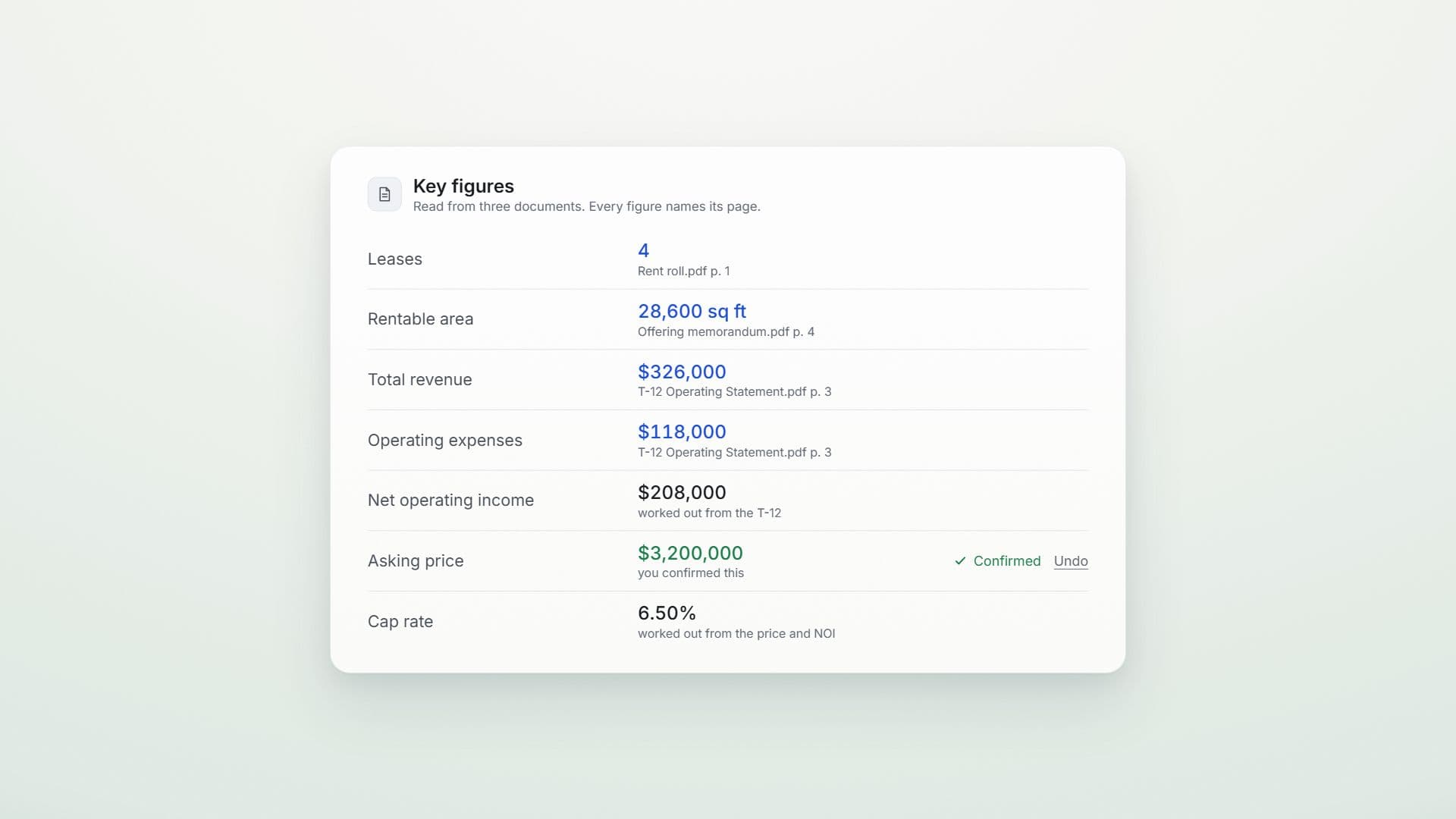
- Read from a documentBlue, with the page it came from.
- Worked outBlack, calculated from figures that were read.
- Confirmed by a personGreen, and only ever that, with Undo beside it.
- A check that failedRed, with what disagrees and by how much.
- Read, not yet checkedAmber, listed wherever it is used.
- A check that could not runGrey, and never counted as a pass.
What Corbin
will never do.
Write over a formula
It fills the cells a person confirmed in your own model, never a formula, and every write is recorded and can be undone.
Make up a number
Every figure comes from your documents or from the calculation pipeline. The chat explains the numbers and cites the page; it never supplies one.
Call a figure verified when it is not
Verified means a check proved it. A figure only read is amber, and a check that could not run says so.
Send email for you
Owner letters and assessment appeals are drafted as files for a person to read and send.
Show your deals to another firm
Every query carries your firm's id, and the database's row level security is never off.
Hold a password for someone else's system
It connects only to systems your firm administers, such as your own Microsoft tenant, never a data service or a lender portal.